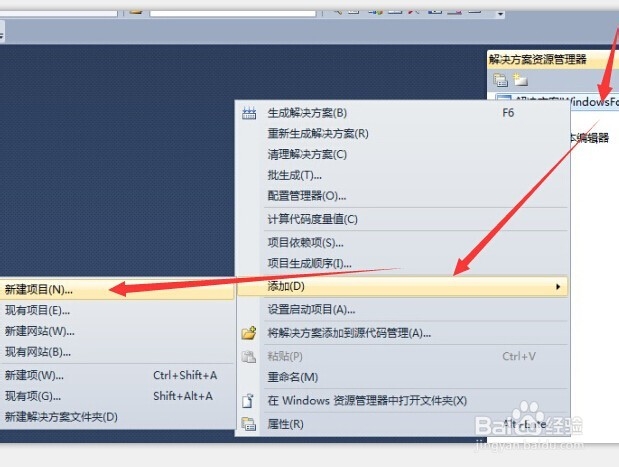
1、打开visual studio2010,添加“解决方案”--“新建项目”
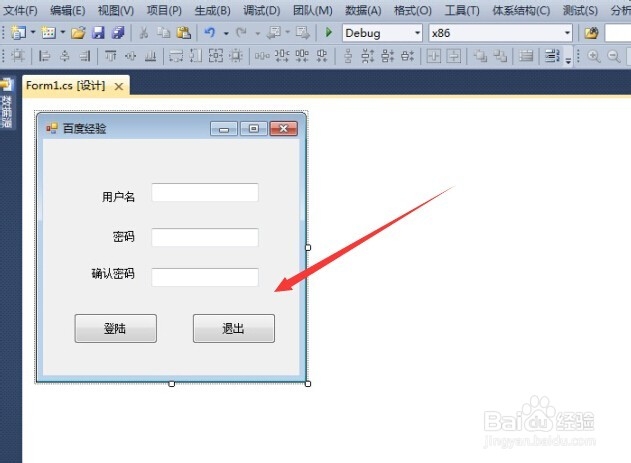
2、窗体布局如下:三个Lable控件,三个TextBoxe控件,两个Button控件
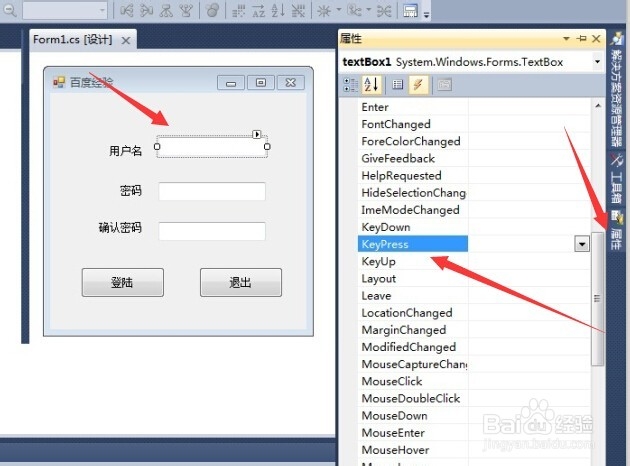
3、关键步骤:
1、选中用户名输入的TextBoxe控件,
2、选择属性--事件--选择KeyPress事件,双击
4、在弹出的代码编辑窗,输入下列代码:
namespace 经验
{
public partial class Form1 : Form
{
public Form1()
{
InitializeComponent();
}
private void textBox1_KeyPress(object sender, KeyPressEventArgs e)
{
//此为只能输入字母
if (e.KeyChar < 'A' || e.KeyChar > 'Z' && e.KeyChar < 'a' || e.KeyChar > 'z')
{
e.Handled = true;
}
//此为退格键可以输入
if (e.KeyChar == 8)
{
e.Handled = false;
}
}
}
}
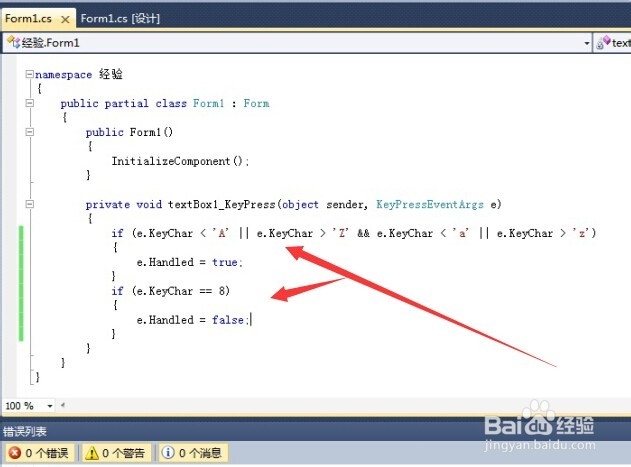
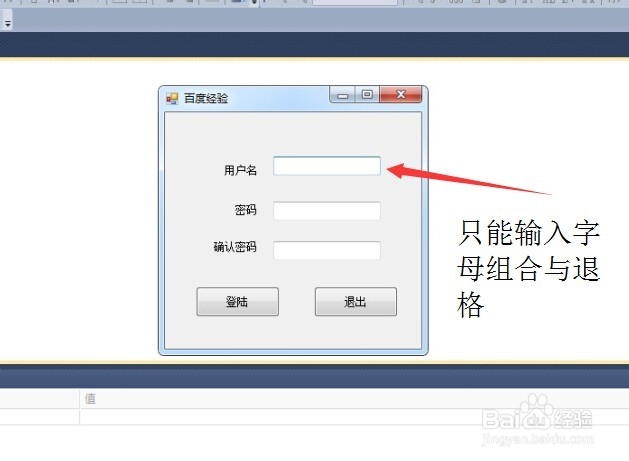
5、ok!在用户名栏里,只能输入字母了。