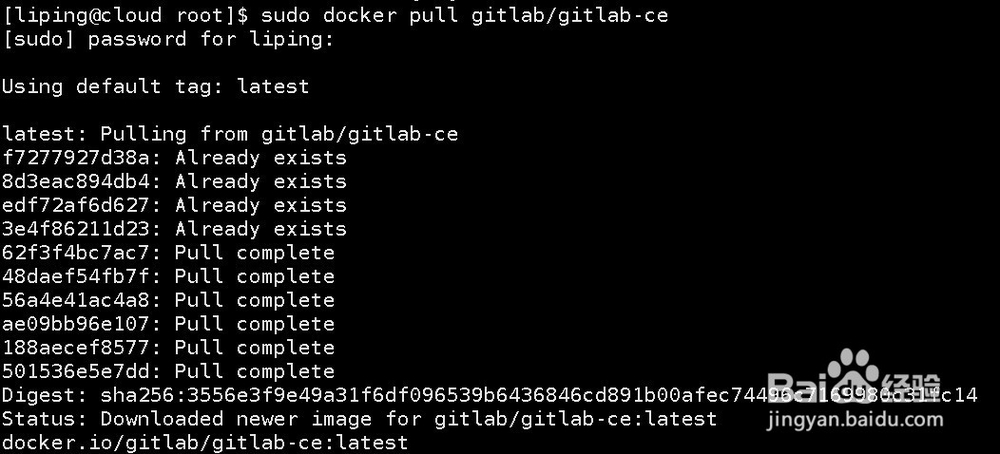
1、Pull the gitlab image(拉取gitlab镜像)
sudo docker pull gitlab/gitlab-ce
2、Prepare gitlab local foldders (准备gitlab本地文件夹)
sudo mkdir /home/gitlab
sudo chmod -Rf 777 /home/gitlab
sudo cd /home/gitlab
sudo mkdir etcgitlab
sudo mkdir loggitlab
sudo mkdir optgitlab
3、Create a docker network (创建一个docker网络)
sudo docker network create --attachable --driver overlay my-net-git
#--attachable ,can be manually attached (可被手动附加)
#--overlay , can support Docker Swarm network (可支持Docker Swarm集群网络)

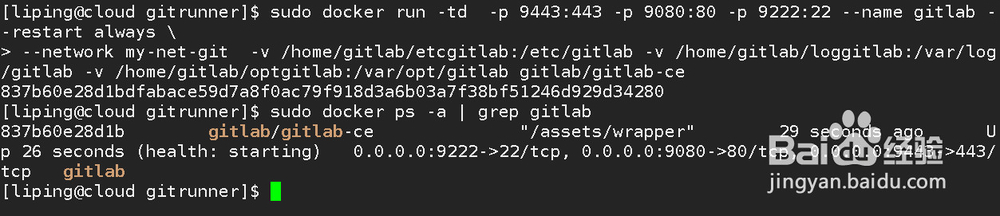
4、Run the gitlab server (运行gitlab server镜像)
sudo docker run -td -p 9443:443 -p 9080:80 -p 9222:22 --name gitlab --restart always \
--network my-net-git -v /home/gitlab/etcgitlab:/etc/gitlab -v /home/gitlab/loggitlab:/var/log/gitlab -v /home/gitlab/optgitlab:/var/opt/gitlab gitlab/gitlab-ce
#--network my-net-git let the gitlab container join the network my-net-git(让容器加入到my-net-git网络)
#-p ,host port to container port mapping (主机到容器的端口映射)
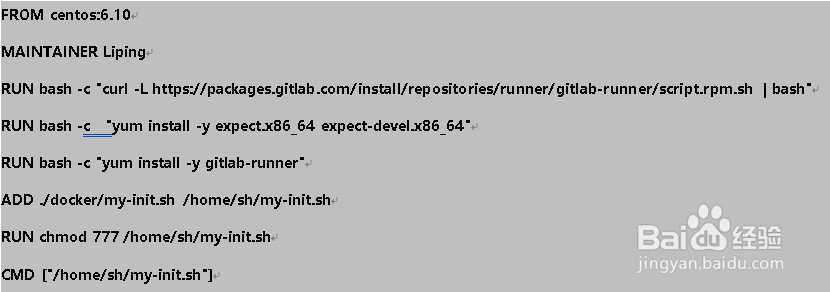
5、Prepare gitlab-runner Dockerfile
sudo mkdir docker
sudo chmod 777 docker
sudo vi docker/Dockerfile
Copy below content to the file
6、Open your gitlab server url ,the first access will ask you to set a new password.
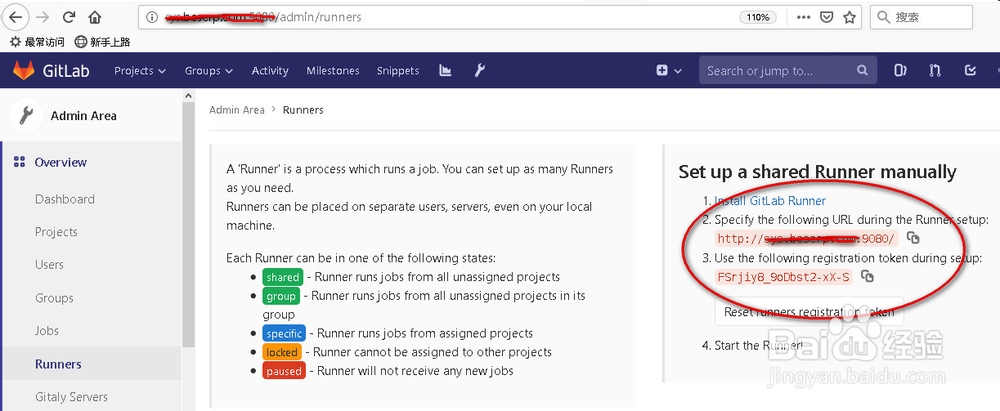
Navigate to http://localhost:9080/admin/runners
Find the Server URL and to Token for Runner Registration.
打开gitlab server url,首次访问时会要求设置一个新密码。导航到http://localhost:9080/admin/runners
查找图所示 的url 和token 用于Runner 注册.
7、Prepare the Runner Registration script (准备Runner的注册脚本)
sudo vi docker/my-init.sh
Copy content below to the file replace the red font portion to your own data(复制如下内容至文件,使用你自己第7步中查到的数据,替换红色字体部分)
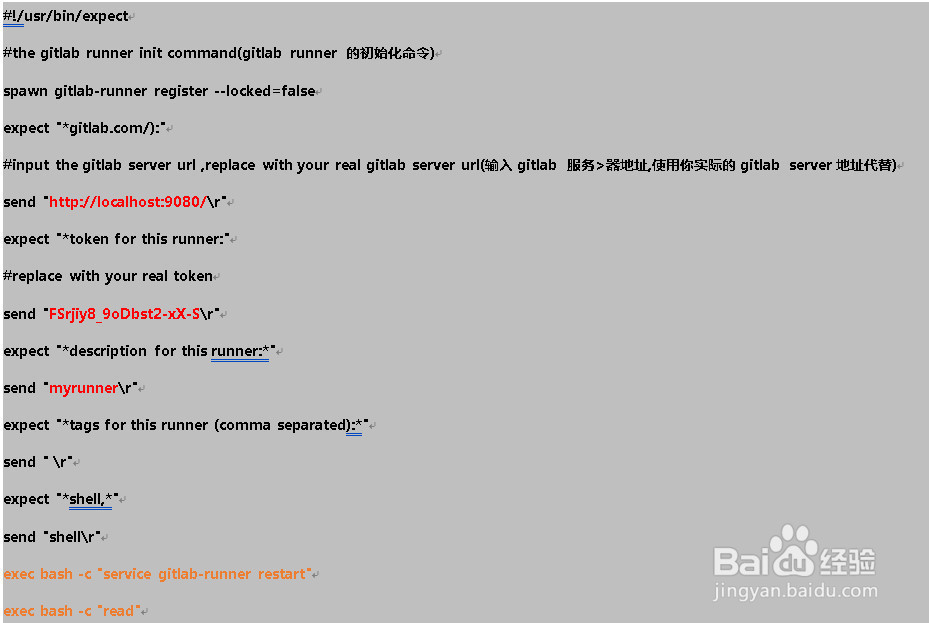
8、Build the dockerfile
sudo docker build -t lipingsg/mygitrunner -f docker/Dockerfile .
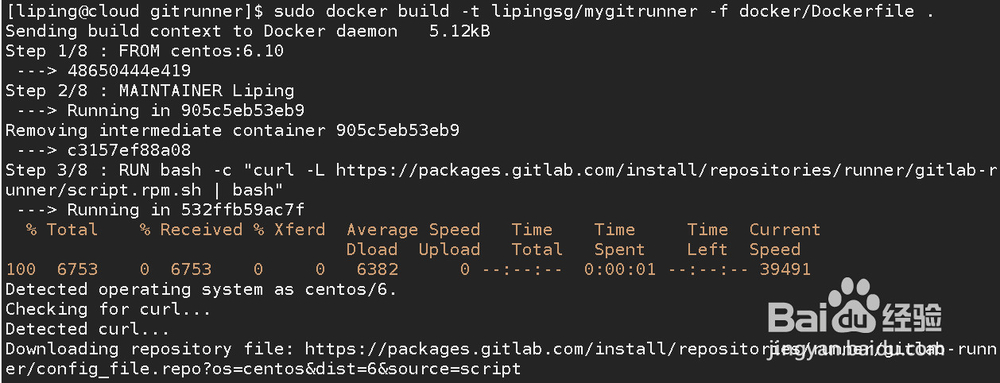
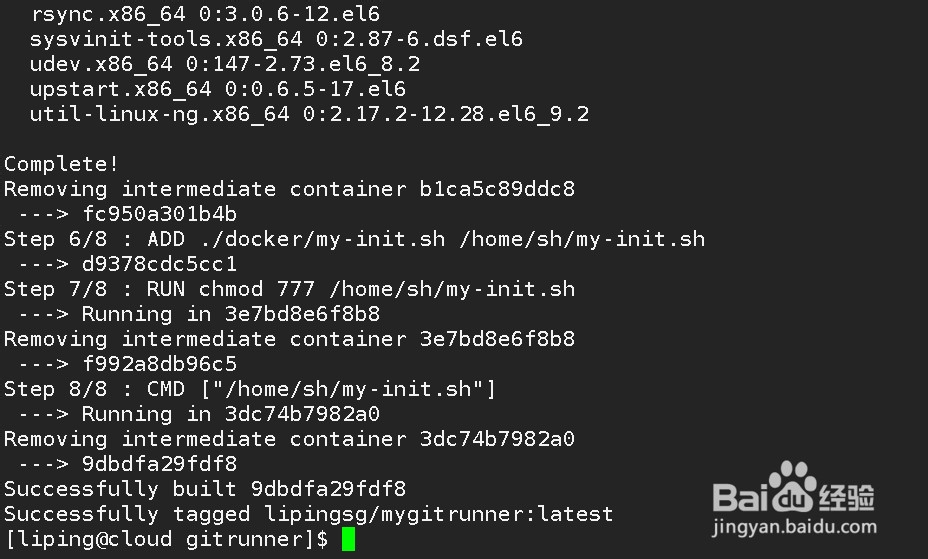
9、 Start the gitlab-runner container (启动gitlab-runner容器)
sudo docker run -td --name my_gitrunner --network my-net-git lipingsg/mygitrunner
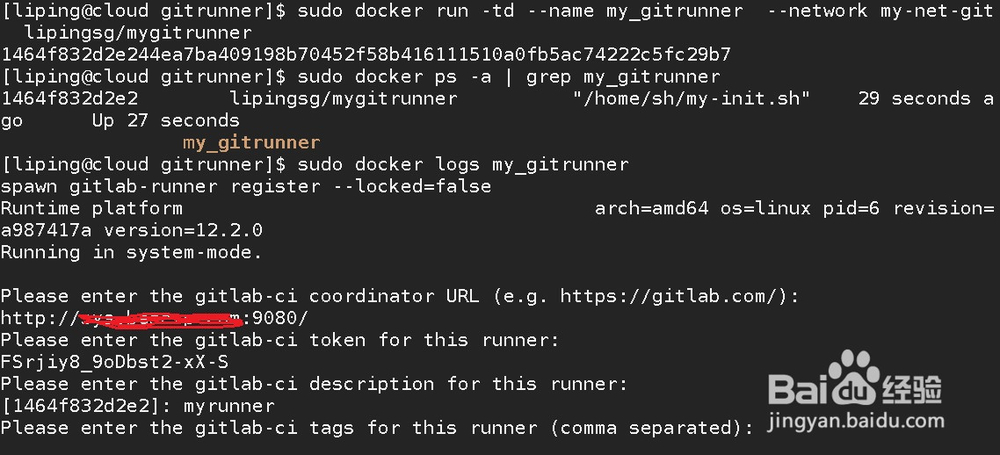
10、Go to the gitlab server url http://localhost:9080/admin/runners , verify the registration was done.
导航至http://localhost:9080/admin/runners 验证注册是否已完成。
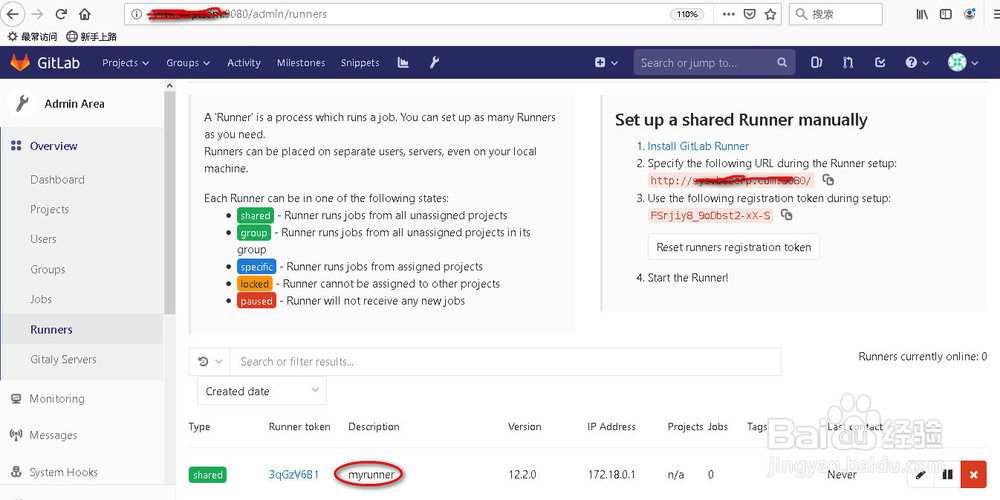
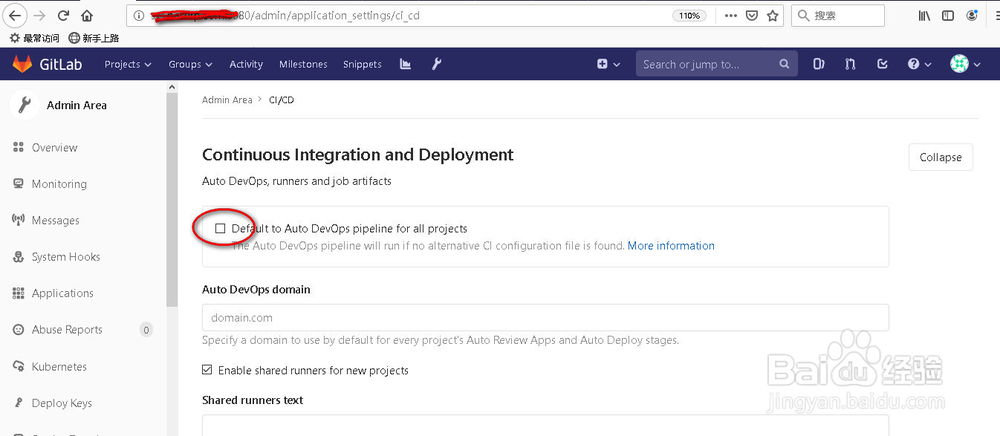
11、go to http://localhost:9080/admin/application_settings/ci_cd
Uncheck “Default to Auto DevOps pipeline for all projects”and save.
进入ci_cd 页面 取消“Default to Auto DevOps pipeline for all projects”并保存
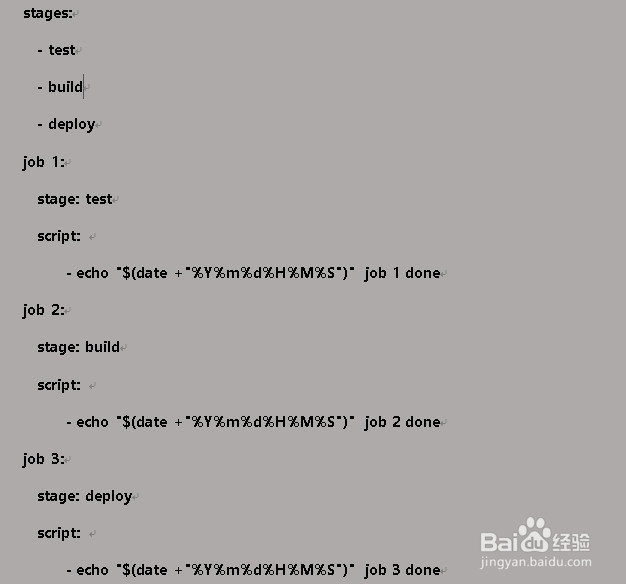
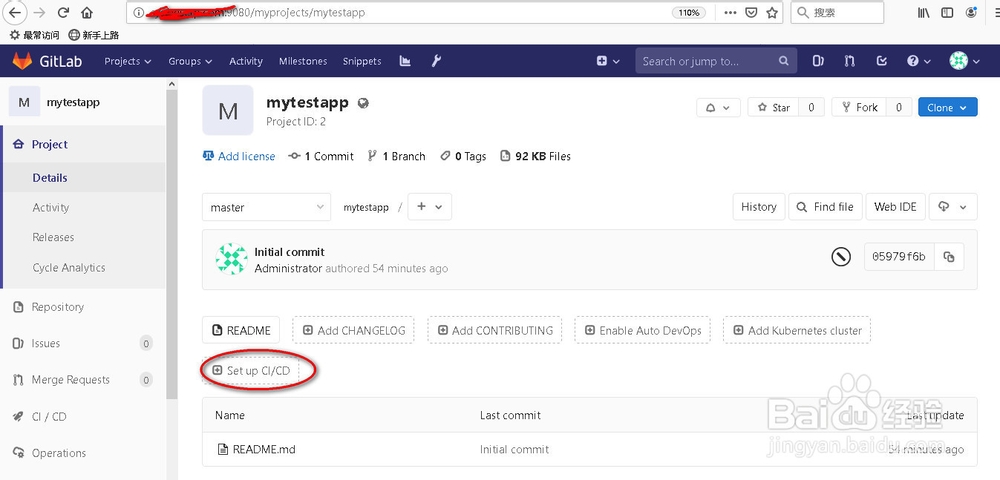
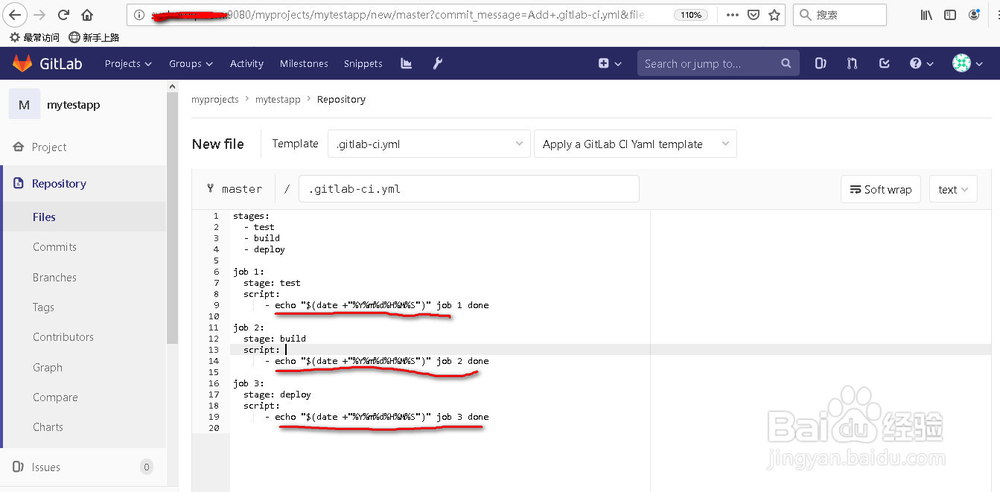
12、Create a new Project in gitlab ,and create a .gitlab-ci.yml to test the trigger fuction for a script task.(创建一个新工程,在工程中创建一个 .gitlab-ci.yml 文件 用来测试自动触发脚本任务是否完成)
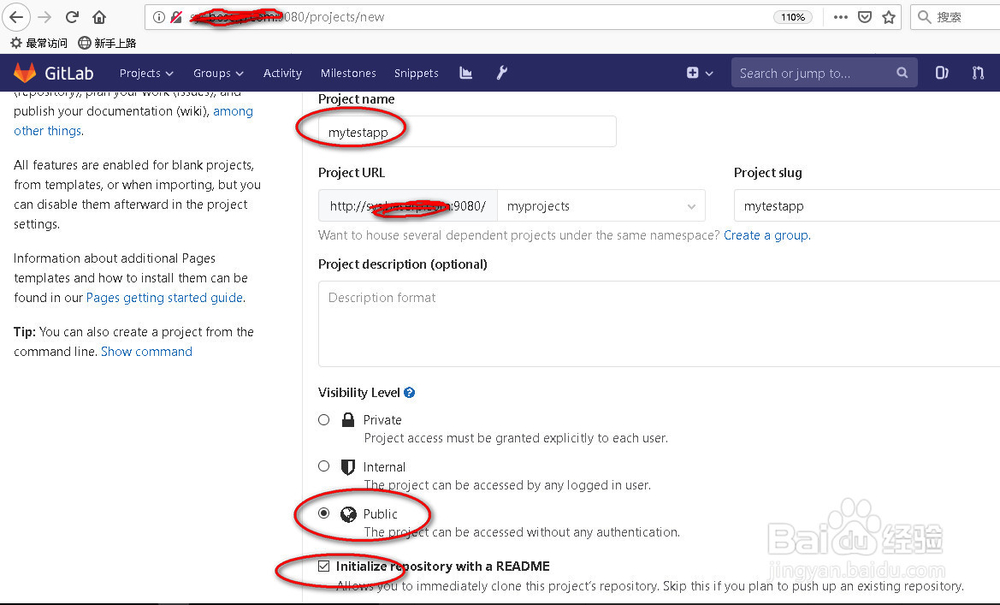
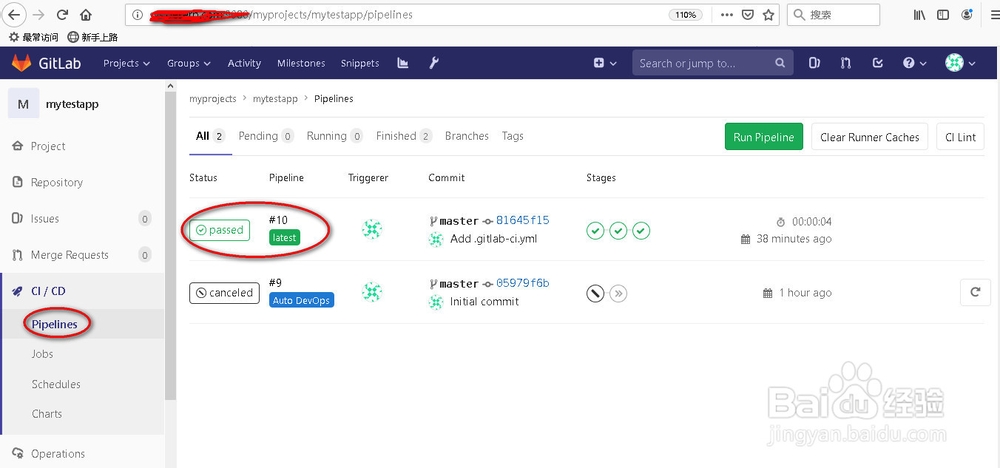
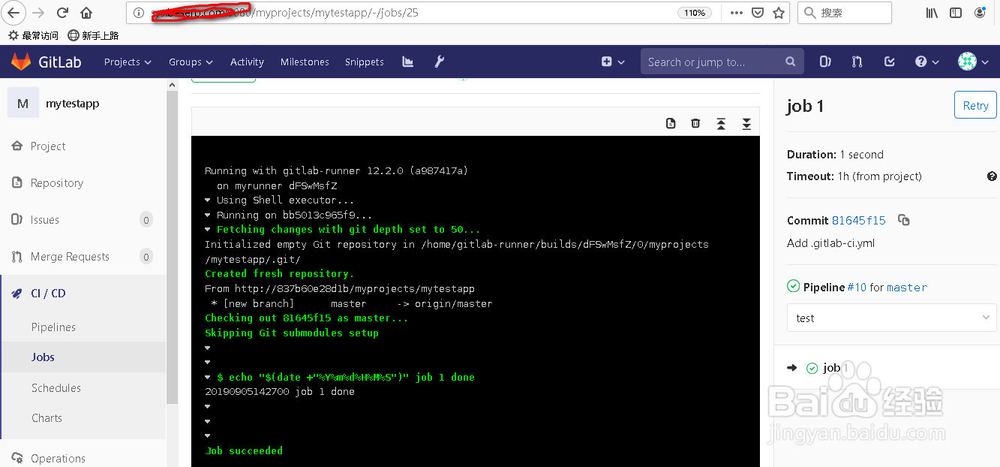
13、The gitlab server DEVOPS environment is working.
Gitlab 服务器的DEVOPS功能已经完成,如果有任何疑问请在下面提出~