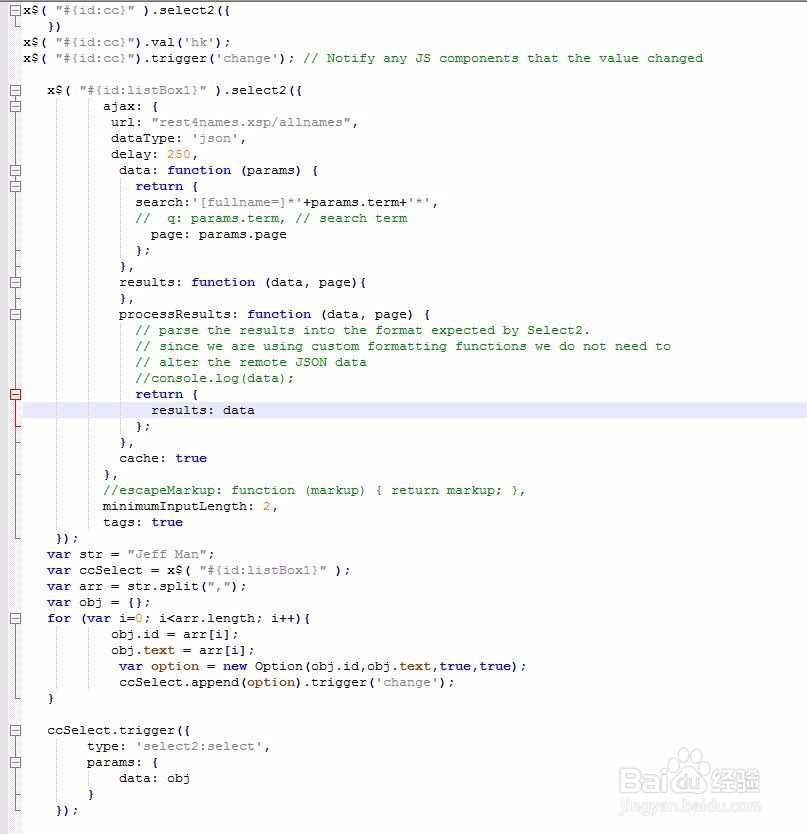
1、按照select2 的说明很容易就可以使用select2, 单选,多选都不是问题。但是如果使用预设值呢? 就是 select2 初始化后自动帮我们选定一个或者多个值, 改如何做呢?
2、当数据源不是 ajax时, 可以使用下面的方法设定预设值
$('#mySelect2').val('US');
$('#mySelect2').trigger('change')
3、当数据源是 ajax 时, 就要使用下面的方法:
// Set up the Select2 control
$('#mySelect2').select2({
ajax: {
url: '/api/students'
}
});
// Fetch the preselected item, and add to the control
var studentSelect = $('#mySelect2');
$.ajax({
type: 'GET', url: '/api/students/s/' + studentId
}).then(function (data) {
// 官网上使用ajax 来获得要预设的值, 我是直接使用页面上的隐藏域的值
// create the option and append to Select2
var option = new Option(data.full_name, data.id, true, true);
studentSelect.append(option).trigger('change');
// manually trigger the `select2:select` event
studentSelect.trigger({
type: 'select2:select',
params: {
data: data
}
});
}


4、下面的代码是我的实例