1、第一步:打开需要转化为pdf的excel表。
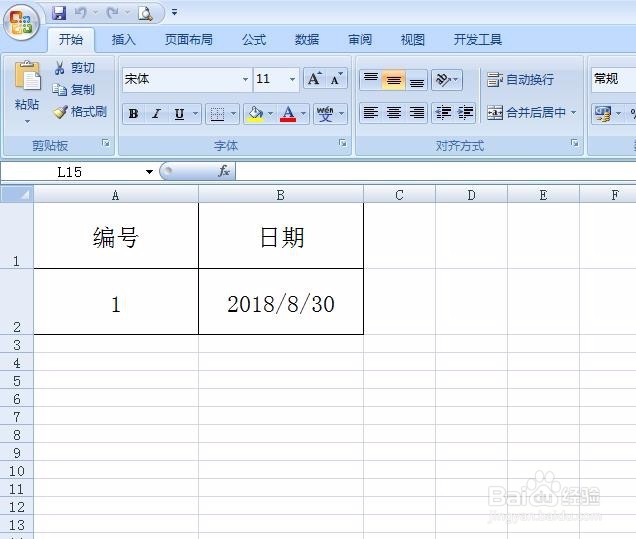
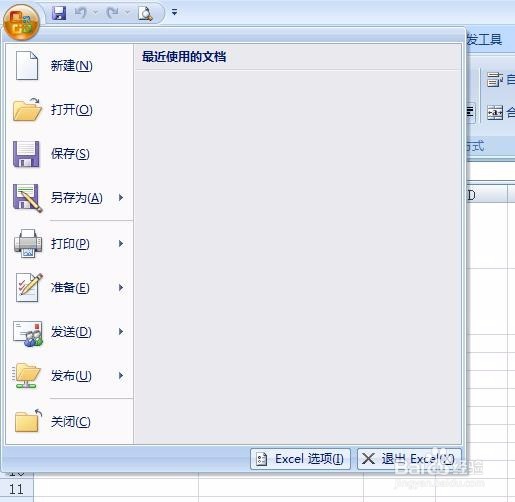
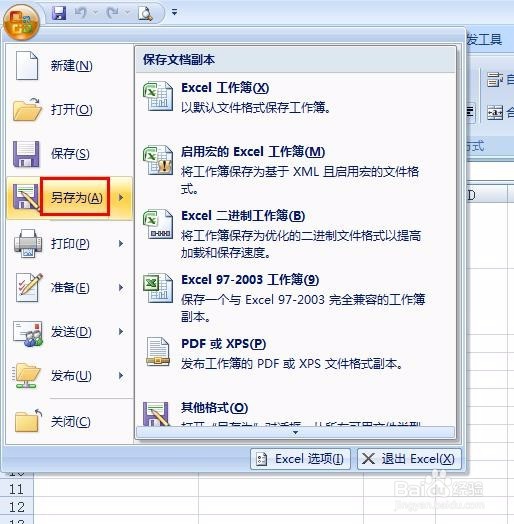
2、第二步:单击打开左上角office按钮。
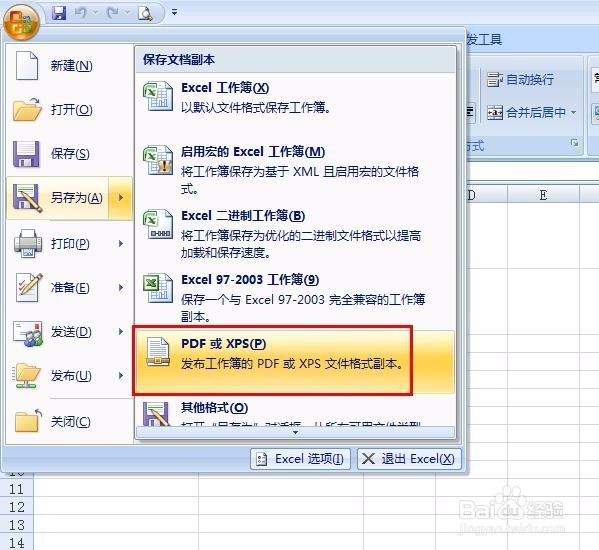
3、第三步:选择“另存为”中的“PDF或XPS”选项。
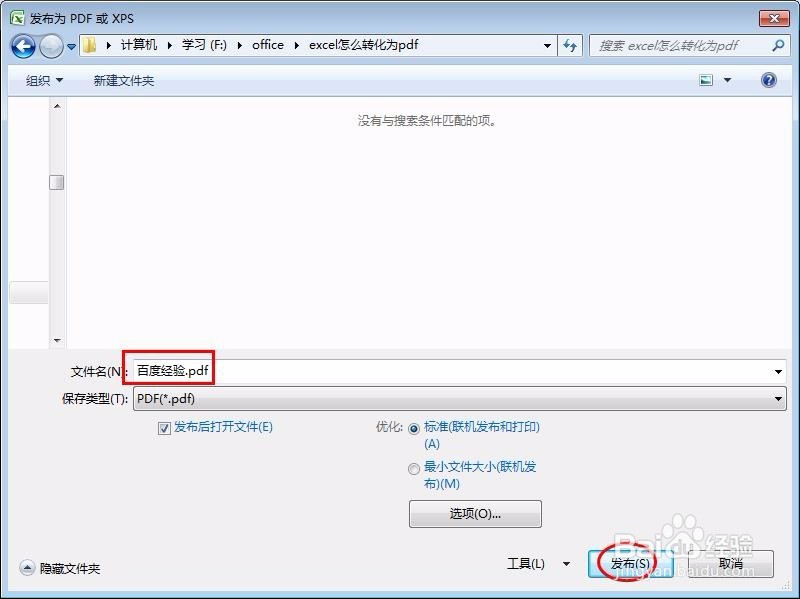
4、第四步:输入文件名,单击“发布”按钮。
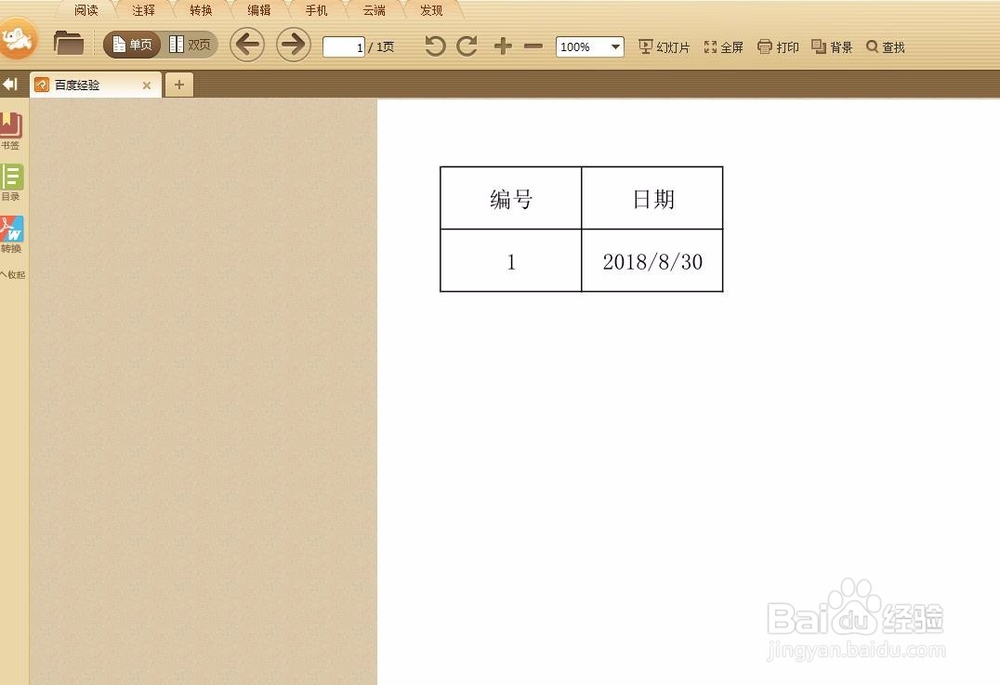
5、第五步:excel表转化为pdf格式。
1、第一步:打开office按钮,单击“另存为”按钮。
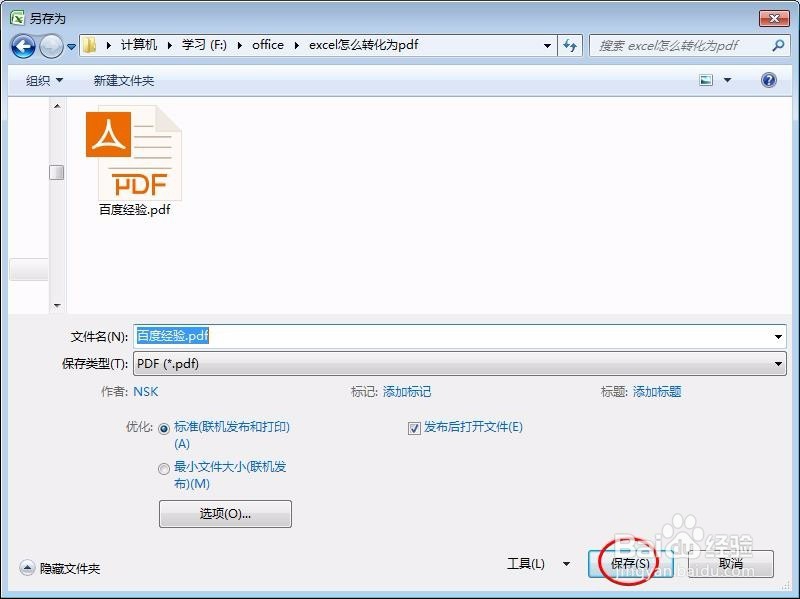
2、第二步:在存储类型中选择“PDF”。

3、第三步:选择好存储路径,单击“保存”按钮。
4、第四步:excel表转化为pdf格式。
1、第一步:打开需要转化为pdf的excel表。
2、第二步:单击打开左上角office按钮。
3、第三步:选择“另存为”中的“PDF或XPS”选项。
4、第四步:输入文件名,单击“发布”按钮。
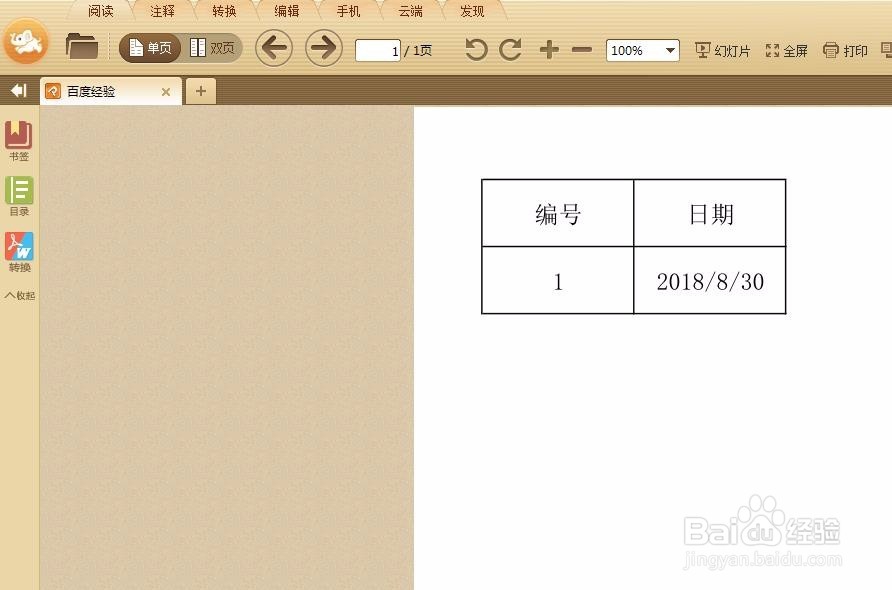
5、第五步:excel表转化为pdf格式。
1、第一步:打开office按钮,单击“另存为”按钮。
2、第二步:在存储类型中选择“PDF”。
3、第三步:选择好存储路径,单击“保存”按钮。
4、第四步:excel表转化为pdf格式。