1、系统版本和内核

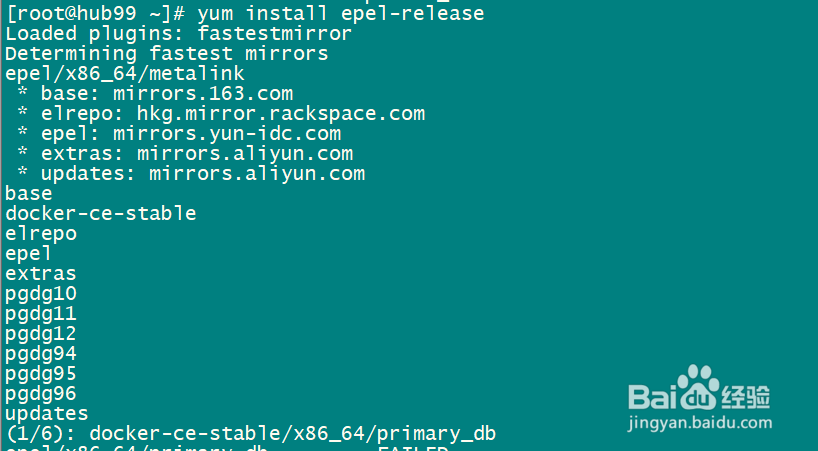
2、yum install epel-release
3、安装getmail
yum -y install getmail

4、创建用户并设置密码

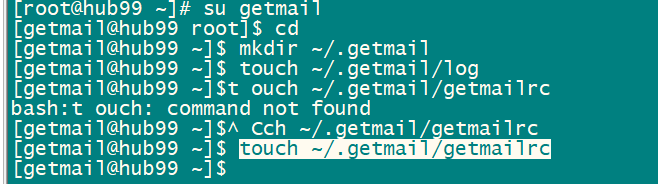
5、切换到getmail用户
创建配置文件、日志文件
mkdir ~/.getmail
touch ~/.getmail/log
touch ~/.getmail/getmailrc
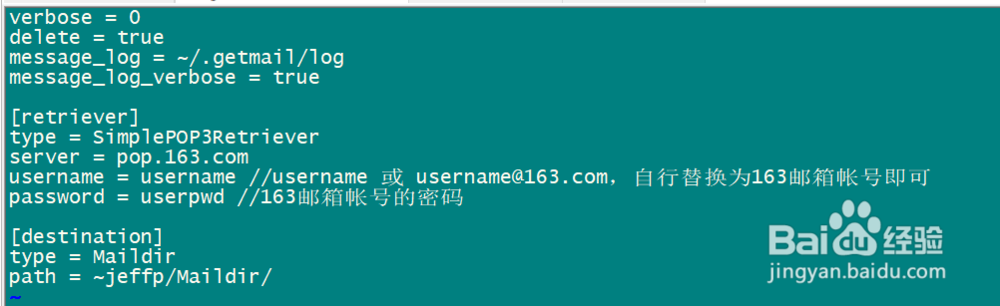
6、编辑配置文件~/.getmail/getmailrc
verbose = 0
delete = true
message_log = ~/.getmail/log
message_log_verbose = true
[retriever]
type = SimplePOP3Retriever
server = pop.163.com
username = username //username 或 username@163.com,自行替换为163邮箱帐号即可
password = userpwd //163邮箱帐号的密码
[destination]
type = Maildir
path = ~jeffp/Maildir/
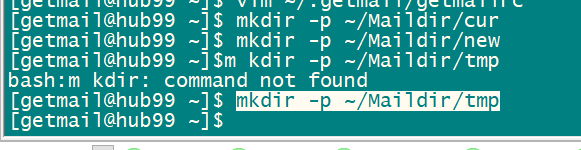
7、创建邮件保存目录
mkdir -p ~/Maildir/cur
mkdir -p ~/Maildir/new
mkdir -p ~/Maildir/tmp
8、收取邮件
getmail -v -n -r ~/.getmail/getmailrc
