1、打开ie浏览器,选择工具-》internet选项。
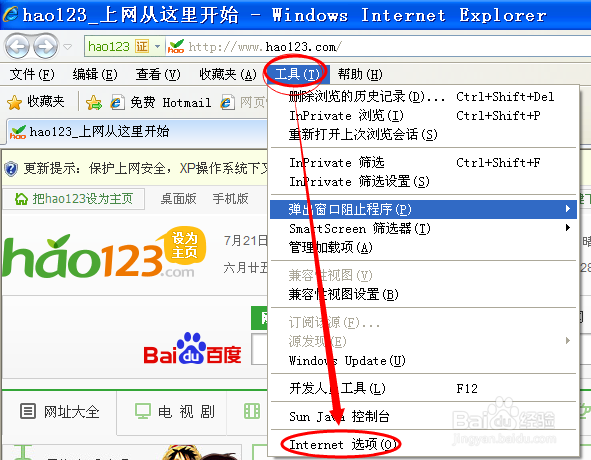
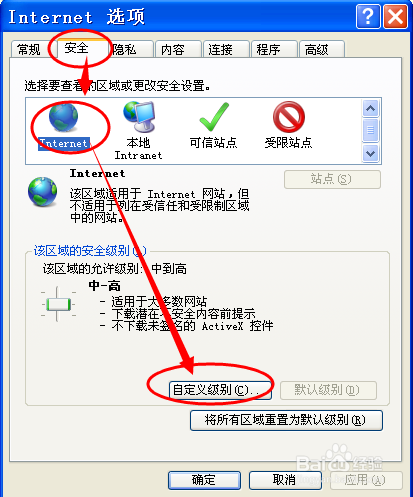
2、在弹出的对话框上选择“安全”-》internet-“自定义级别”。
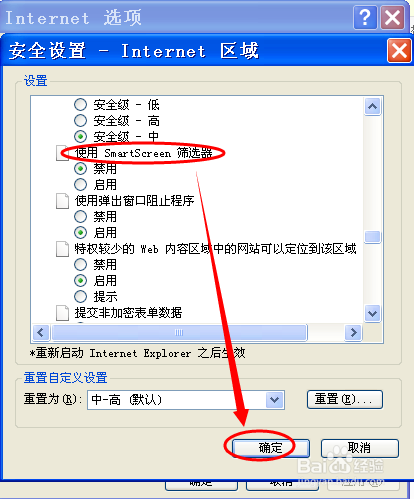
3、在自定义级别选择里,选择“smartscreen筛选器”选项,选择“禁用”项。这样就关闭smartscreen筛选器了。
1、打开工具,直接选择“smartscreen筛选器”选项。选择“关闭smartscreen筛选器”。
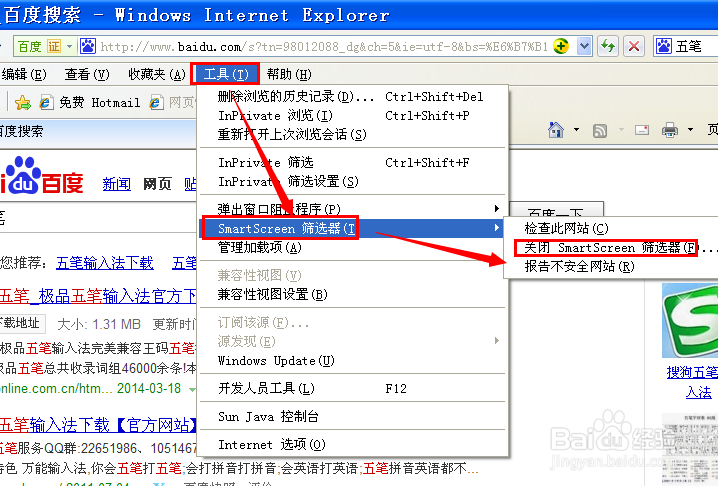
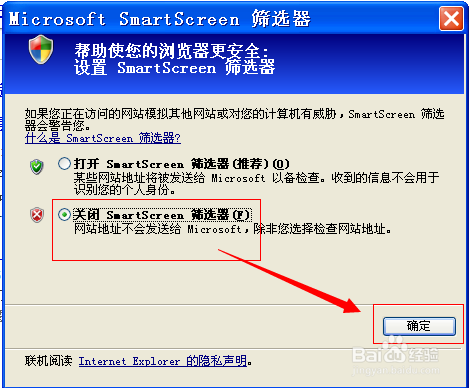
2、在弹出的对话框上选择“关闭smartscreen筛选器”。
1、打开ie浏览器,选择工具-》internet选项。
2、在弹出的对话框上选择“安全”-》internet-“自定义级别”。
3、在自定义级别选择里,选择“smartscreen筛选器”选项,选择“禁用”项。这样就关闭smartscreen筛选器了。
1、打开工具,直接选择“smartscreen筛选器”选项。选择“关闭smartscreen筛选器”。
2、在弹出的对话框上选择“关闭smartscreen筛选器”。