Windows11如何卸载系统补丁

时间:2026-02-14 05:41:37

1、点击任务栏上的Windows图标

点击 "设置"

Windows11如何卸载系统补丁

Windows11如何卸载系统补丁

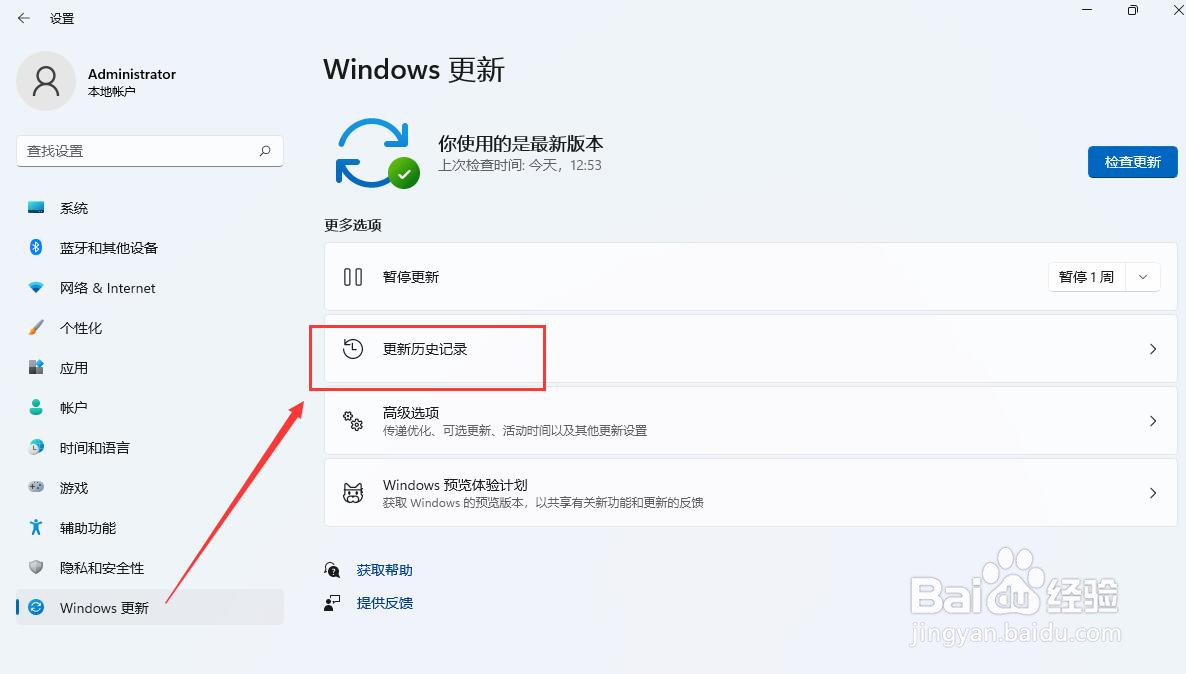
2、点击 "Windows 更新"

Windows11如何卸载系统补丁

3、点击 "更新历史记录"

Windows11如何卸载系统补丁

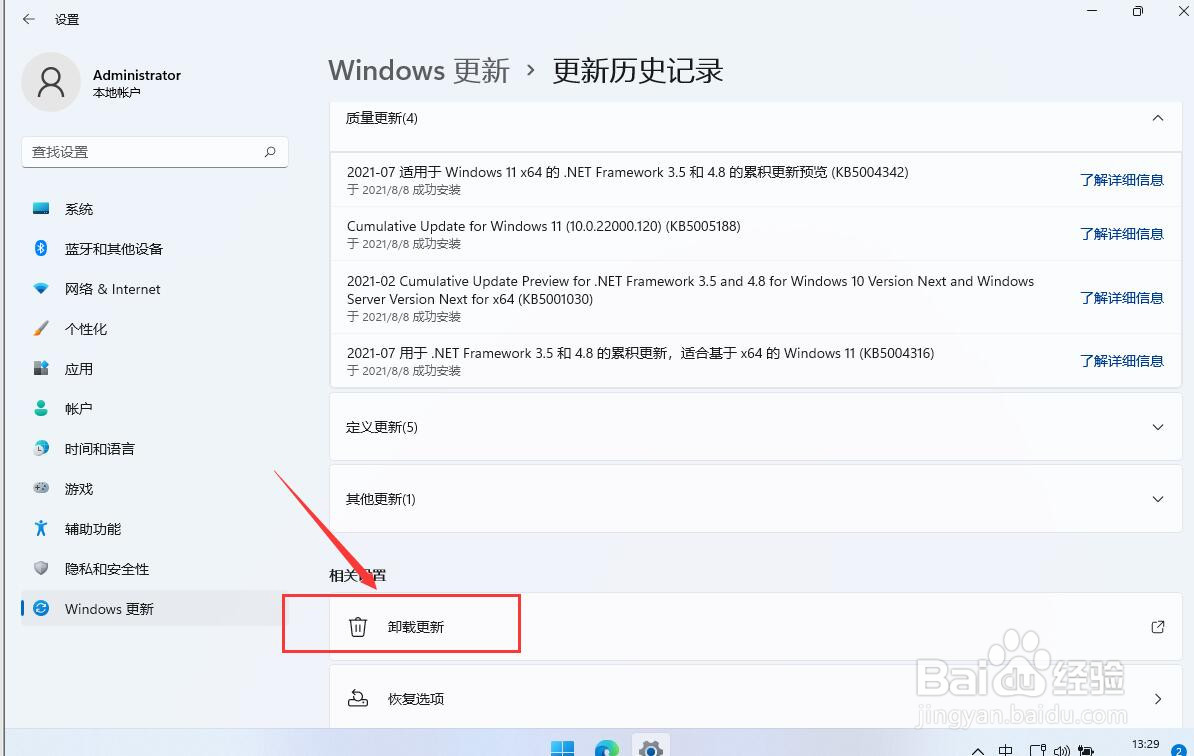
4、点击 "卸载更新"

Windows11如何卸载系统补丁

5、点击需要卸载补丁右键, 即可弹出"卸载"按钮

点击 "同意" 即可卸载补丁

Windows11如何卸载系统补丁

Windows11如何卸载系统补丁

Windows11如何卸载系统补丁

© 2026 途途旅游
信息来自网络 所有数据仅供参考
有疑问请联系站长 site.kefu@gmail.com