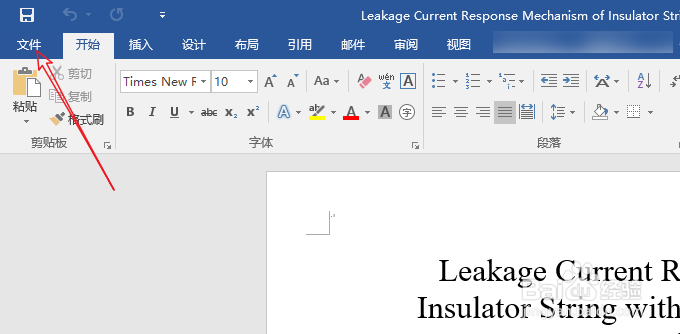
1、想要在word2010中添加mathtype选项卡,首先,需要在电脑上下载安装mathtype。下载好mathtype后,我们打开word,然后点击页面左上角的文件
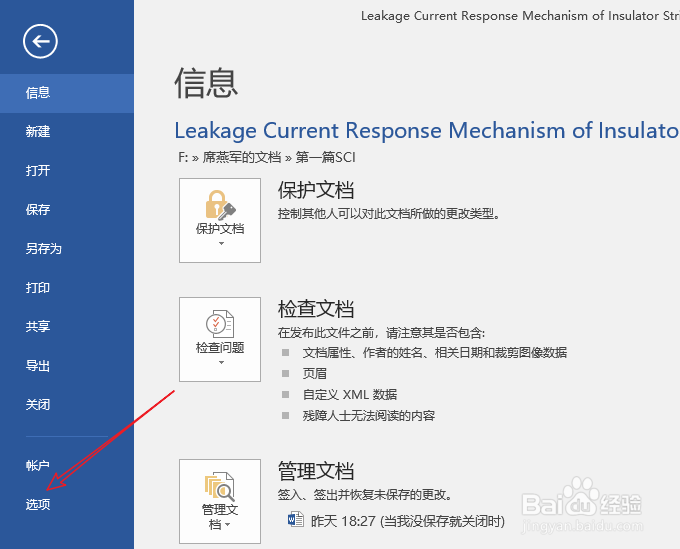
2、点击文件后,我们点击左侧的选项
3、在word选项弹窗中,我们点击左侧的加载项,在管理中选择模板,然后点击转到

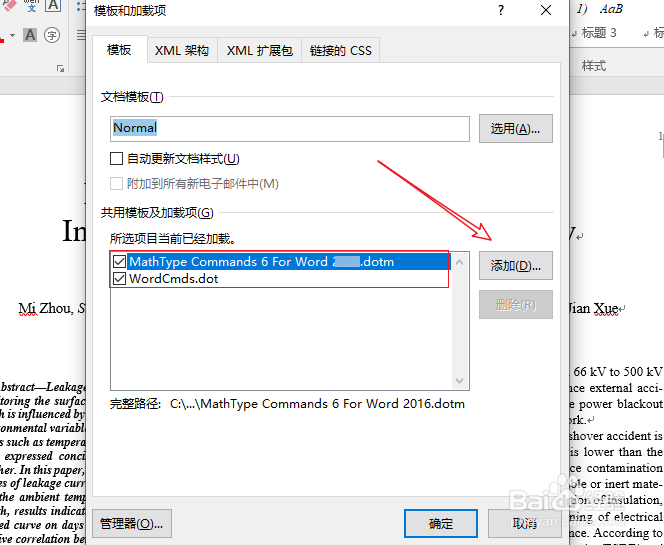
4、打开模板和加载项后,在你们的页面应该是没有下图红方框中的这两项的,我们点击右侧的添加
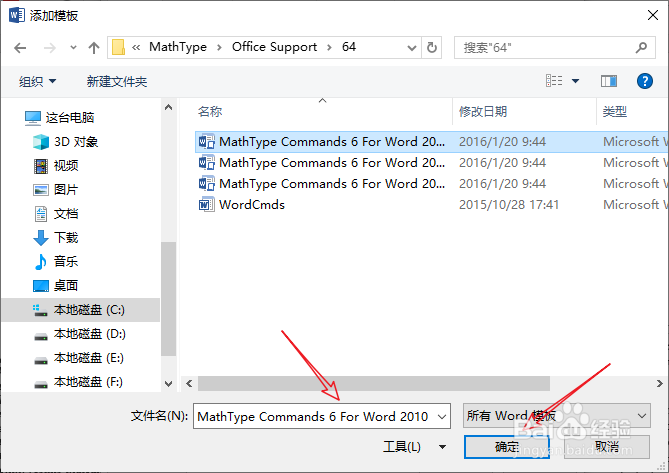
5、然后找到mathtype安装文件夹中的Office Support中这个文件——mathtype commands 6 for 2010,本人这个文件的位置C:\Program Files (x86)\MathType\Office Support\64。将这个文件点击确定添加进来
6、这样,我们就可以看到在word2010菜单栏上有mathtype选项了,点击即可在word中使用mathtype
