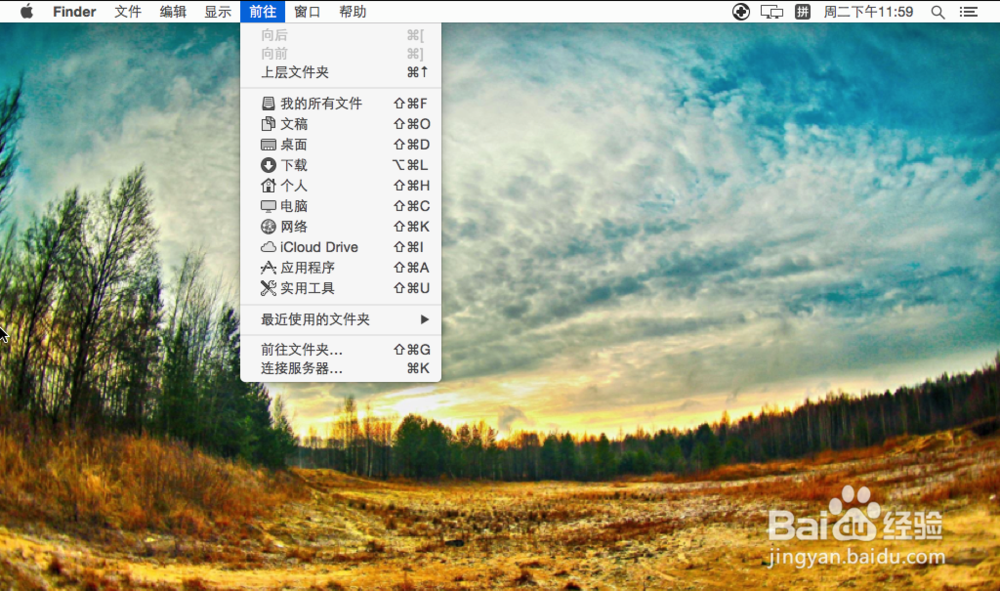
1、首先我们选择前往文件夹,然后输入:private/etc前往配置文件夹。

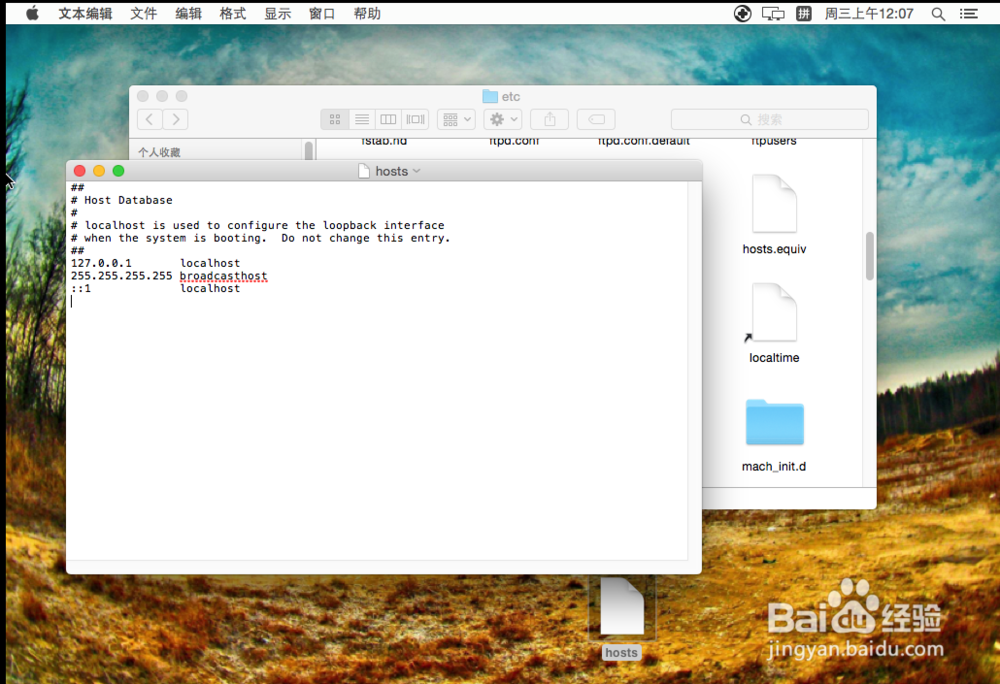
2、接下来我们找到hosts,然后以文本格式打开。

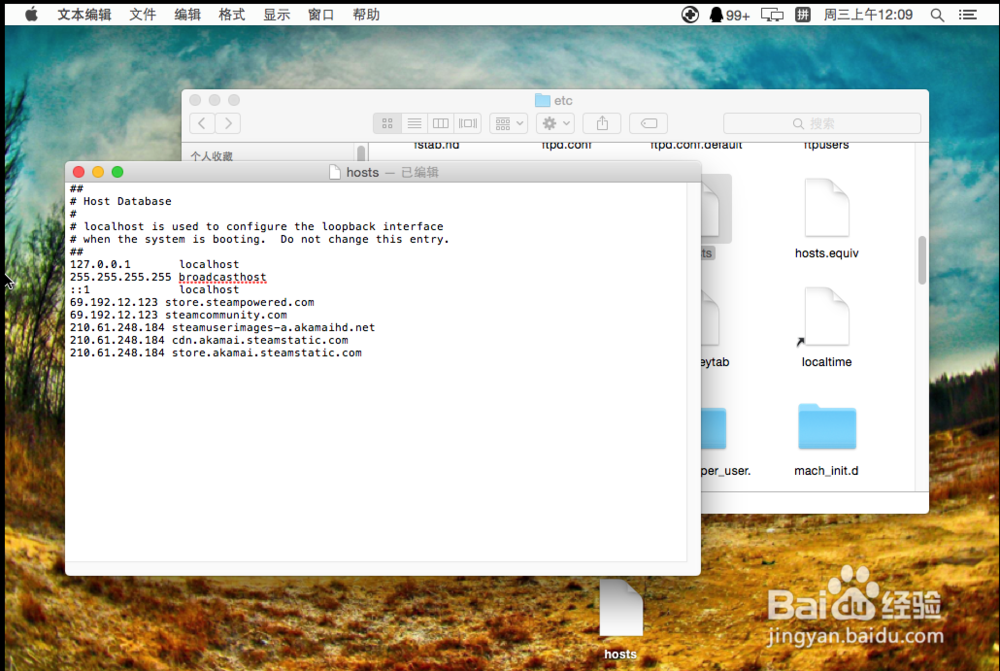
3、打开文件后,我们在hosts文件的最下方输入:
69.192.12.123 store.steampowered.com
69.192.12.123 steamcommunity.com
210.61.248.184 cdn.akamai.steamstatic.com
210.61.248.184 store.akamai.steamstatic.com
4、这时我们打开浏览器(steam所使用内核的浏览器),然后输入:chrome://net-internals/#hsts,然后我们在下图的标志上输入steamcommunity.com并且√;
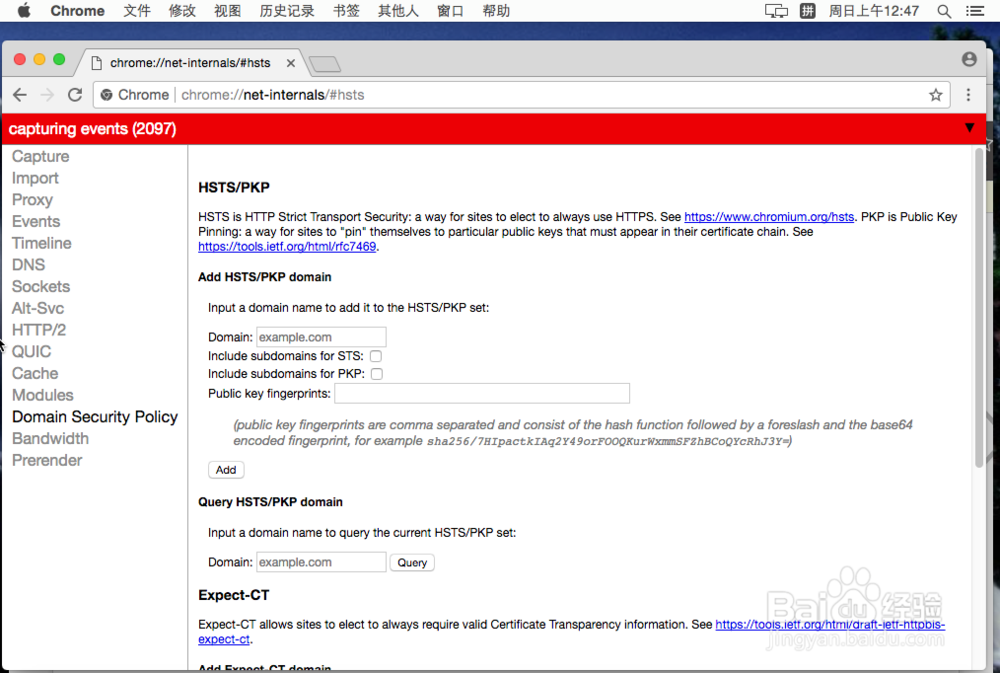

5、最后我们重启steam,我们再次打开就不会出现steam105的问题了,是不是很简单。